

You've been asked to MC a wedding but have no idea what to say, or you want to write your own vows but the words just won't come, sound familiar? Search online and you find scripts from a decade ago that don't match modern ceremony vibes at all.
These days, more than 80% of weddings skip a traditional officiant's lengthy sermon. The MC's role and personal vows have become far more important, which makes the script matter more than ever.
Copy-pasting a script from the internet feels awkward because it never quite fits your wedding. Every ceremony has a different vibe, different religious traditions, and a different tone. With 96% of couples stressed during wedding planning, even a single script can spark disagreements.
Pudding analyzes your ceremony program, tone, and religious preferences to create a finished script. Just select the type and tone, and you're done.
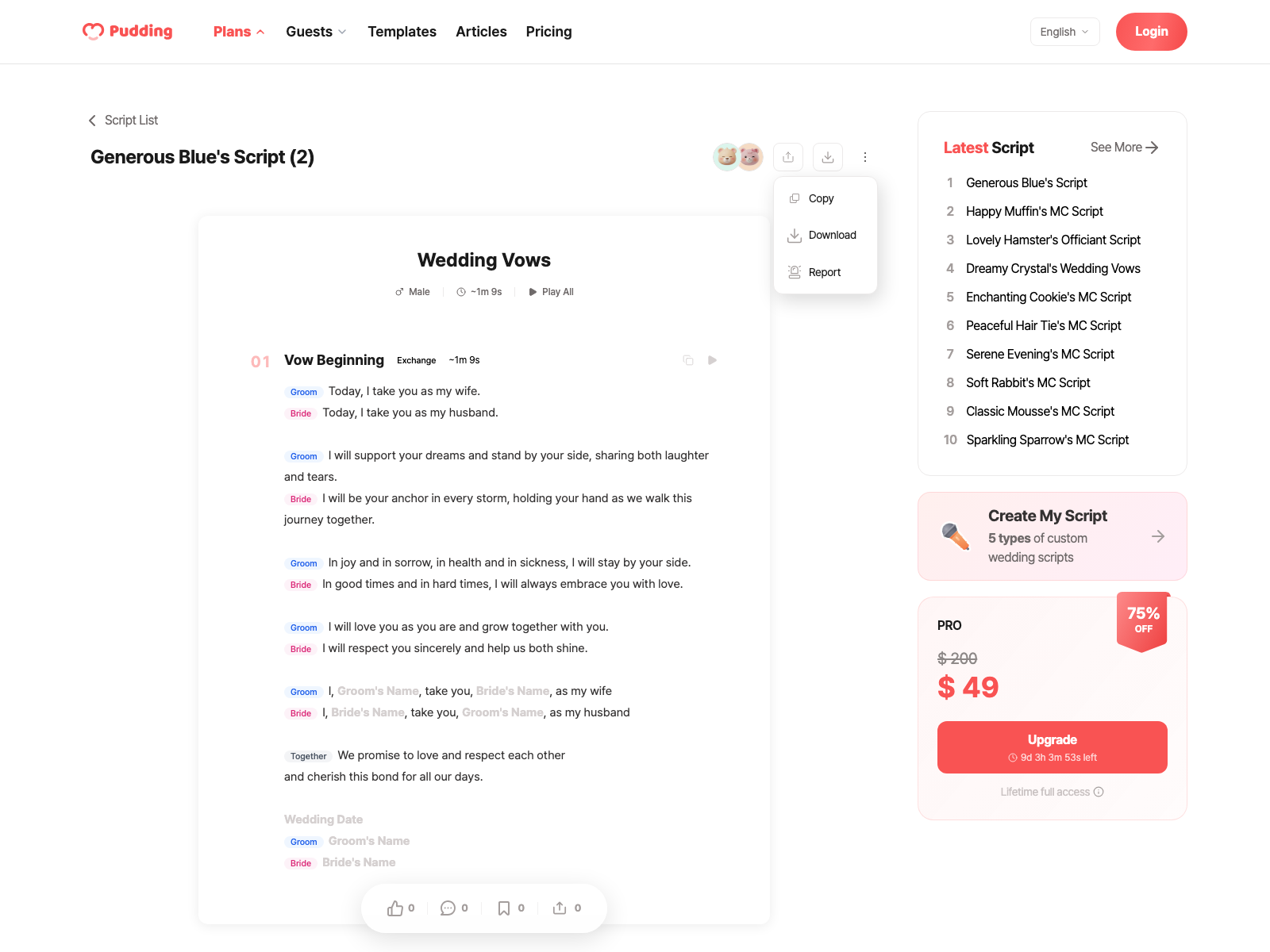
4 Types of Scripts
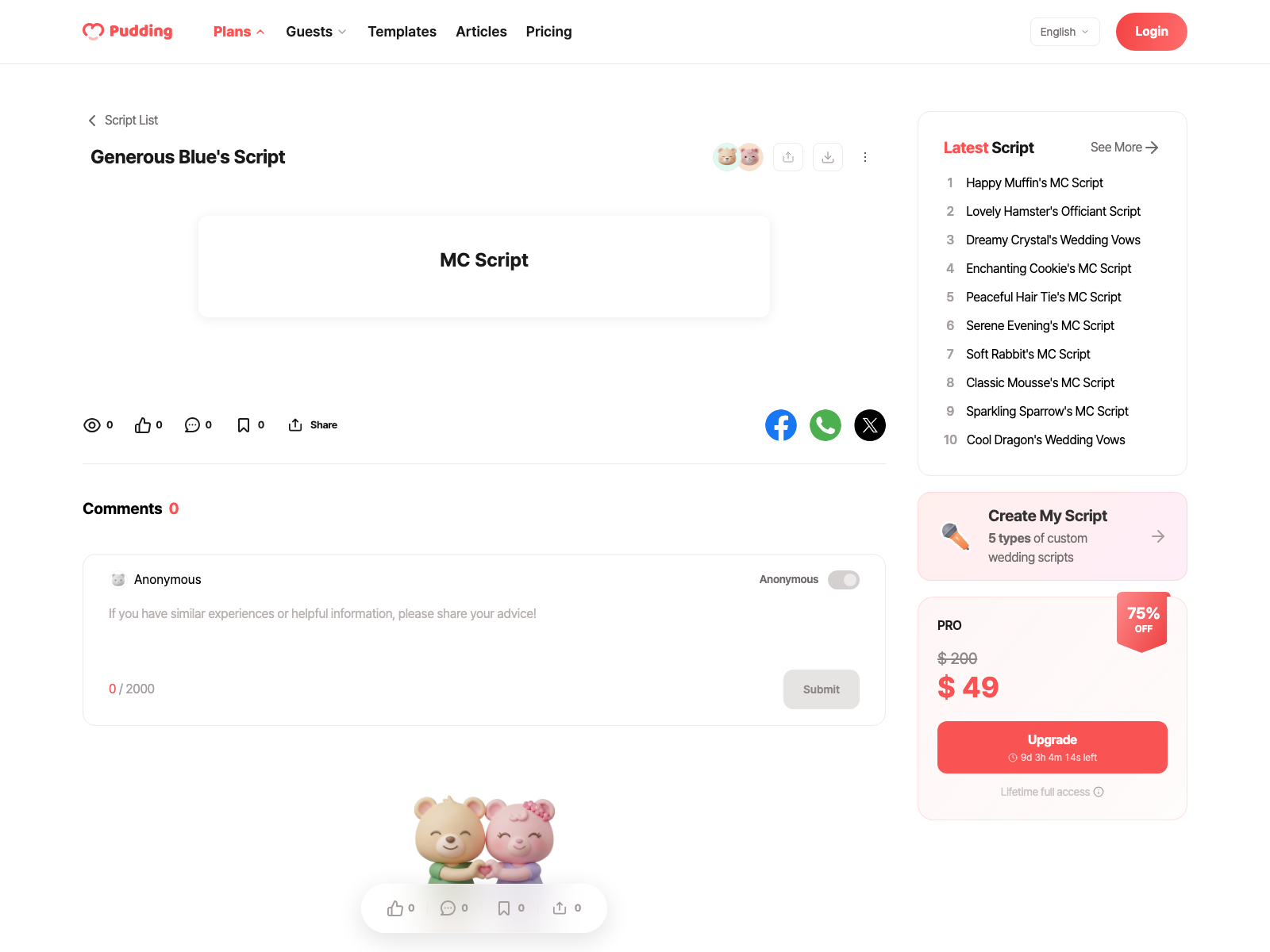
The MC script is the longest and most complex, since its sections change depending on the ceremony program. The other three are relatively short, ready to use right after generation.
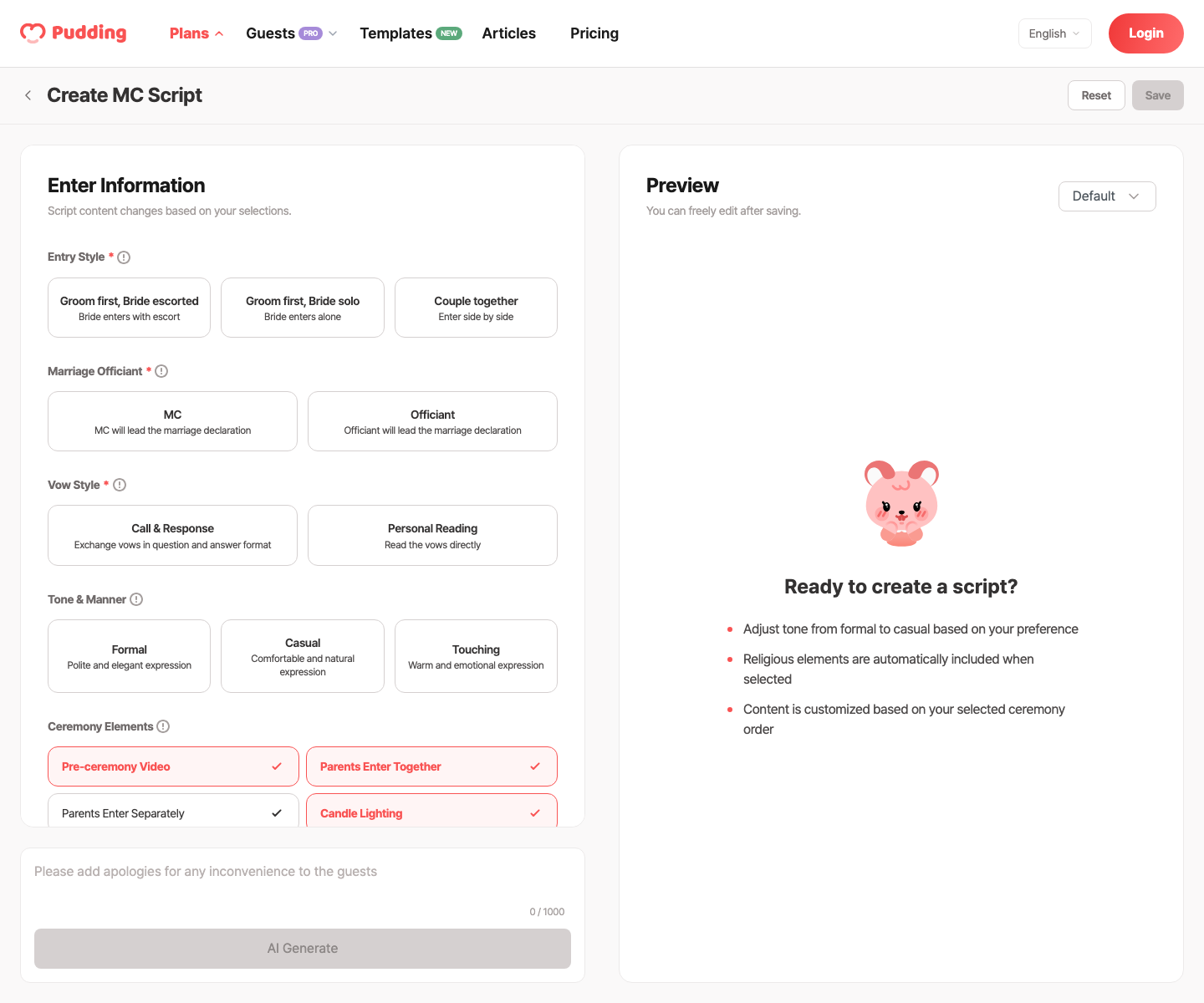
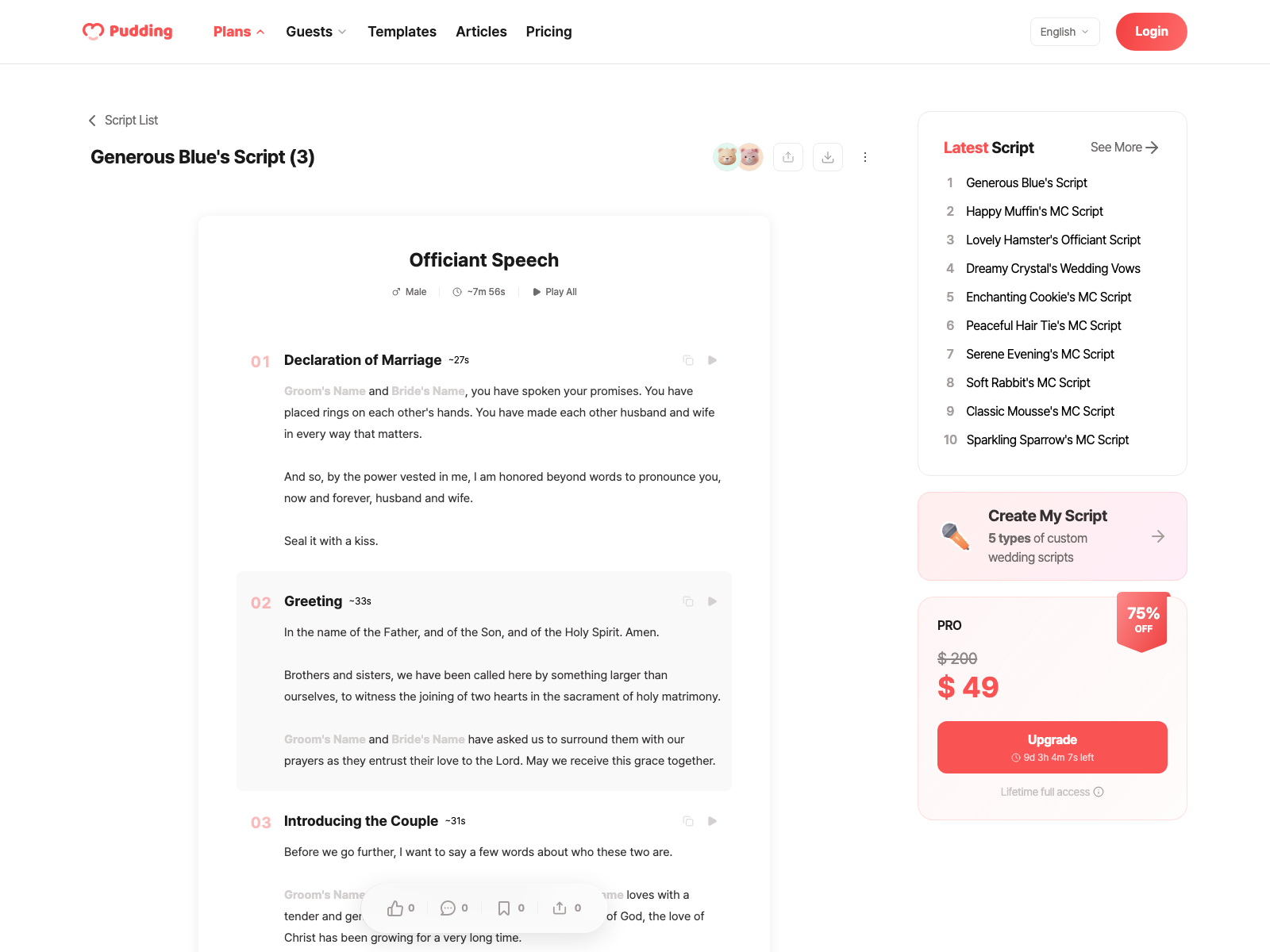
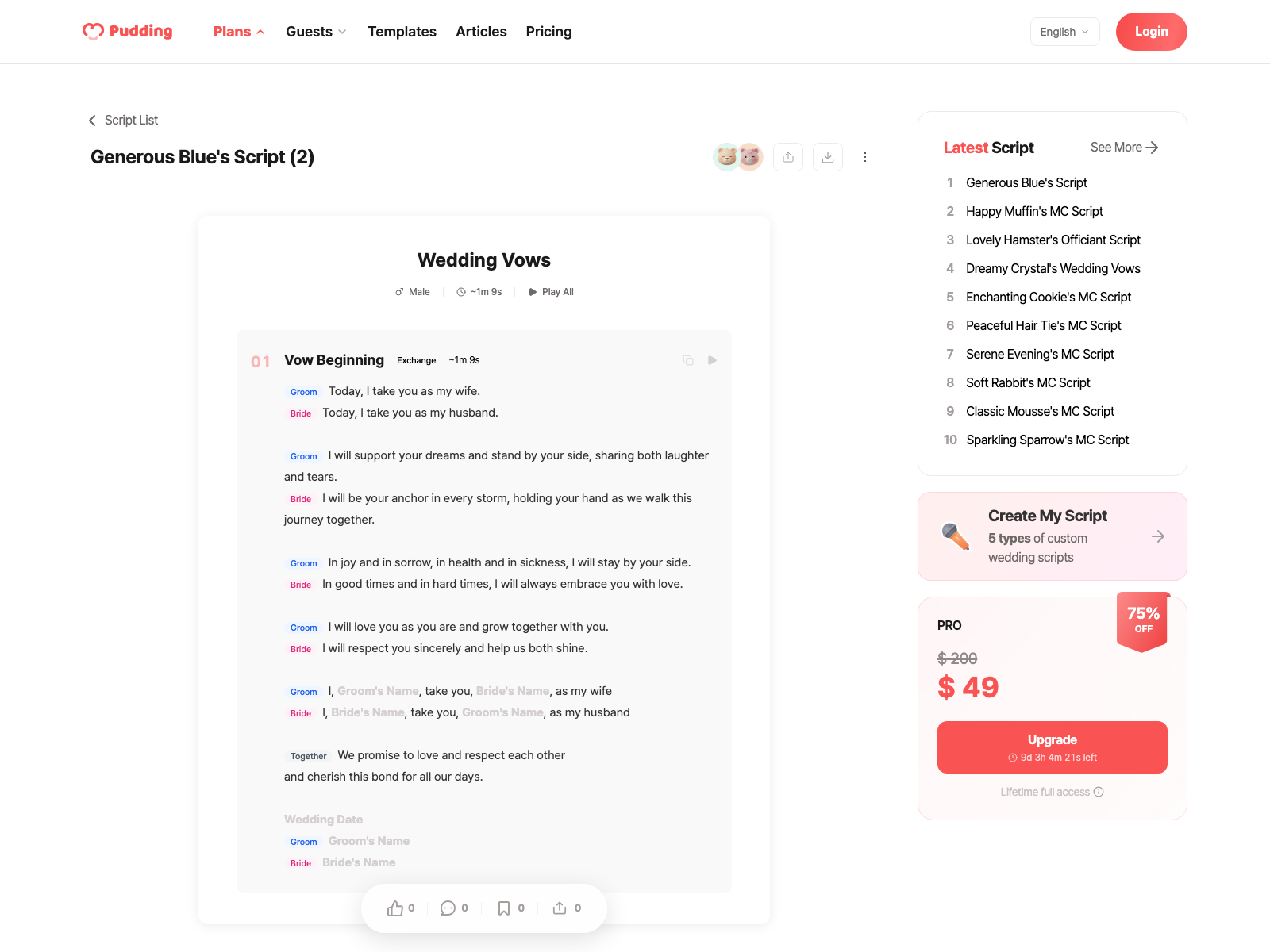
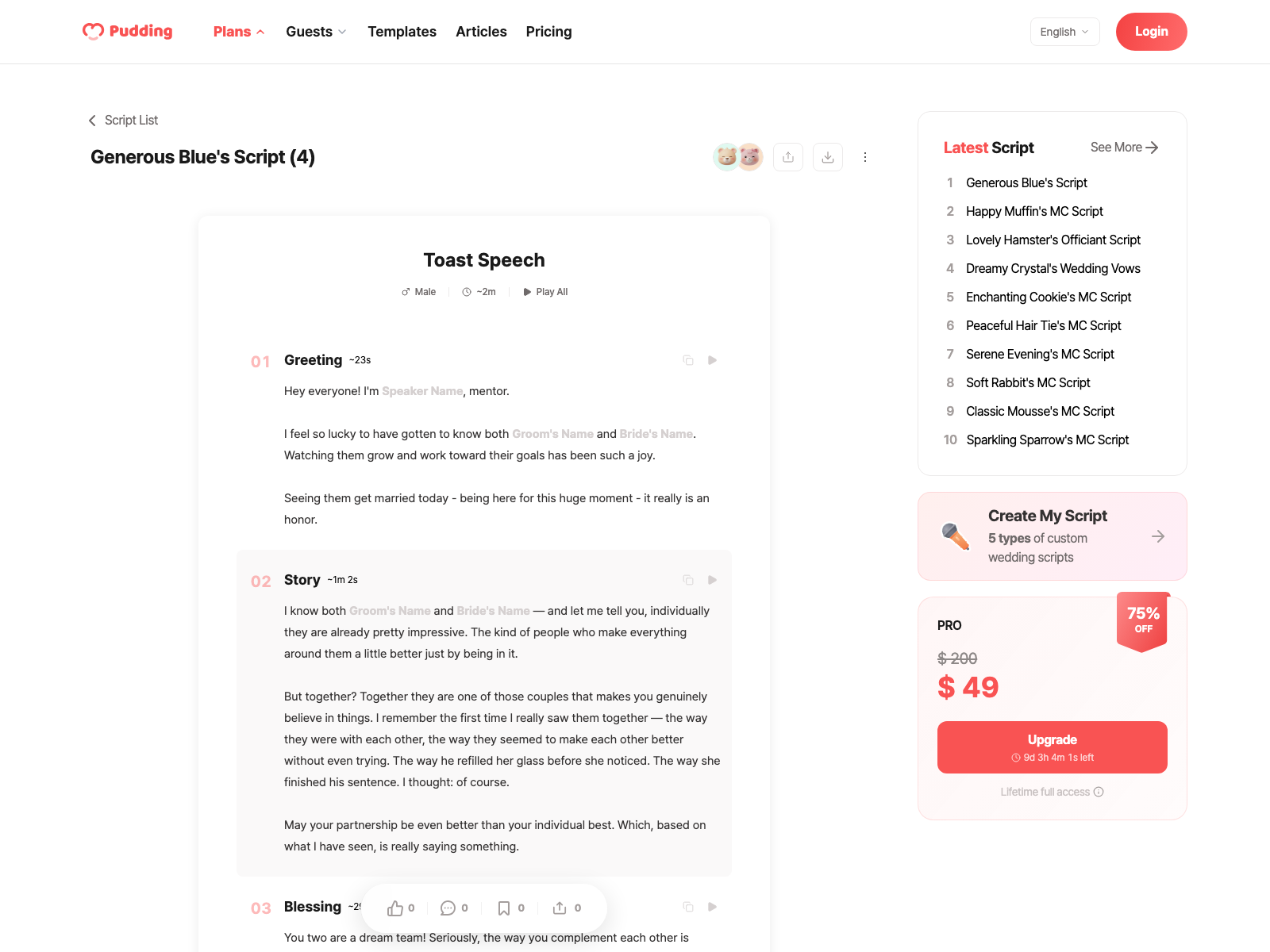
Each type has a different editor layout. MC scripts list ceremony blocks in order, officiant and toast scripts follow an intro–story–blessing flow, and vows focus on one person's promise.
Fine-Tune the Tone and Length
A formal 30-minute church ceremony and a casual 15-minute backyard wedding need completely different scripts -- using the wrong tone makes even great words fall flat. Choosing your tone, length, and special requests upfront ensures every generated line matches your ceremony's feel.
3 Tone Options
The same moment sounds completely different depending on the tone.
3 Length Levels
Short, standard, and long, adjustable in 3 levels. If your hotel venue has a tight schedule, choose "short." For an intimate wedding with more time, choose "long."
Combine 3 tones with 3 lengths for 9 possible combinations. Fine-tune it however you want, "short and casual" or "long and formal."
Special Requests Are Reflected Too
Free-form requests like "Include some humor" or "Make it emotional" are also supported. They're automatically incorporated to match your chosen tone.
18 Ceremony Elements, Freely Combined
The MC script lets you freely combine ceremony elements.
Simply pick the elements you want, and the matching lines are generated automatically, no need to build a ceremony program from scratch.
There are 18 basic elements: pre-ceremony announcement, entrance guidance, opening remarks, groom's entrance, bride's entrance, officiant introduction, ring exchange, wedding vows, declaration of marriage, closing remarks, plus candle lighting, cake cutting, champagne toast, bouquet toss, and more.
On top of that, 12 additional options are available. Set entrance style, whether there's an officiant, vow format, and the sections automatically adjust to match your ceremony program.
No officiant? The officiant introduction section is removed. Q&A vow format? The appropriate lines are generated. You don't need to build the ceremony program from scratch.
Automatic Adaptation by Religion and Relationship
4 Religious Options
Choose from secular, Christian, Buddhist, or Catholic. If you need an officiant speech, check out the separate guide.
Secular focuses on the meaning of marriage without religious language. Christian includes Bible verses and prayers. Buddhist references scriptures and the concept of destined connection. Catholic follows Mass format with formal vows.
7 Officiant Relationships
Choose from professor, workplace superior, pastor, priest, monk, relative, or other. When you select both religion and officiant relationship, the entire structure, quotes, and speaking style adjust automatically.
Toast Tone Varies by Relationship
A friend's toast centers on stories and humor. A parent's toast focuses on gratitude and wisdom. A mentor's or boss's toast emphasizes encouragement and blessings.
Forms of address adjust automatically based on the relationship. A groom's college buddy might say "Jake," while the bride's professional mentor would use a more respectful form of address.
Block-by-Block Editing
After generation, you can review and edit each section one by one in the preview screen.
No need to regenerate the whole thing, just tweak the parts that need work and keep everything else as-is.
For example, if you love the "Groom's Entrance" lines in your MC script but find the "Opening Remarks" too stiff, just edit the opening remarks block. Click edit and a preview appears first, apply it if you like it, cancel if you don't.
Placeholders like {Groom's Name} and {Bride's Name} are automatically filled in with your information. No need to manually replace names, you see the finished version right away.
Common MC Mistakes vs. What Actually Works
Voice Rehearsal
Once your script is finalized, you can hear it read aloud using TTS (text-to-speech). You can play it block by block or listen to the whole thing at once.
Block playback lets you listen to specific sections, while full playback runs through the entire script from start to finish. You can choose between male and female voices, and adjust the speed from 0.8x to 1.2x. For vows, assign a speaker (groom/bride/together) to each block and the voice automatically switches between male and female to match the speaker.
Download as PDF, Word, or Text
Your confirmed script can be downloaded in PDF, Word (DOCX), and Text (TXT), 3 formats.
Pick the format that suits your needs, whether you want to print it out, share it with your MC, or paste it into a notes app.
PDF is print-ready, so you can bring it along to the ceremony. Word is useful if the MC wants to make their own edits. Text can be pasted directly into a notes app or message.
When sharing with your MC, just send one file. Since many people prefer reading scripts on paper, the download feature is surprisingly popular.
Frequently Asked Questions
Detailed Guides for Each Script Type
Each type has a detailed guide with full, ready-to-use scripts.
Script Preparation Checklist
Don't start your script from a blank page
Related Posts
View List
Choose Your Format
How to Write Your Wedding Vows
Deciding how you'll read your vows makes writing them much easier. Your vows only need three things. Follow this order and it flows naturally. One memory that only the two of you share.

Decide Whether to Have an Officiant
Officiant Speech: How to Prepare It Right
If you're torn between a friend and a professional, have the friend give a toast or blessing while a professional MC handles the overall flow. Best of both worlds.

Friend Toast: Full Script
Wedding Toast Examples: Ready-to-Use Scripts by Relationship
Being asked to give a toast is an honor, but the pressure is real. 68% of guests say an overly long toast is the most awkward moment at a wedding, and 73% of couples wish they had given time…
 Crisp Tree
 Spirited Morning
You've been asked to MC a wedding but have no idea what to say, or you want to write your own vows but the words just won't come, sound familiar? Search online and you find scripts from a decade ago that don't match modern ceremony vibes at all.
These days, more than 80% of weddings skip a traditional officiant's lengthy sermon. The MC's role and personal vows have become far more important, which makes the script matter more than ever.
Copy-pasting a script from the internet feels awkward because it never quite fits your wedding. Every ceremony has a different vibe, different religious traditions, and a different tone. With 96% of couples stressed during wedding planning, even a single script can spark disagreements.
Pudding analyzes your ceremony program, tone, and religious preferences to create a finished script. Just select the type and tone, and you're done.
4 Types of Scripts
The MC script is the longest and most complex, since its sections change depending on the ceremony program. The other three are relatively short, ready to use right after generation.
Each type has a different editor layout. MC scripts list ceremony blocks in order, officiant and toast scripts follow an intro–story–blessing flow, and vows focus on one person's promise.
Fine-Tune the Tone and Length
A formal 30-minute church ceremony and a casual 15-minute backyard wedding need completely different scripts -- using the wrong tone makes even great words fall flat. Choosing your tone, length, and special requests upfront ensures every generated line matches your ceremony's feel.
3 Tone Options
The same moment sounds completely different depending on the tone.
3 Length Levels
Short, standard, and long, adjustable in 3 levels. If your hotel venue has a tight schedule, choose "short." For an intimate wedding with more time, choose "long."
Combine 3 tones with 3 lengths for 9 possible combinations. Fine-tune it however you want, "short and casual" or "long and formal."
Special Requests Are Reflected Too
Free-form requests like "Include some humor" or "Make it emotional" are also supported. They're automatically incorporated to match your chosen tone.
18 Ceremony Elements, Freely Combined
The MC script lets you freely combine ceremony elements.
Simply pick the elements you want, and the matching lines are generated automatically, no need to build a ceremony program from scratch.
There are 18 basic elements: pre-ceremony announcement, entrance guidance, opening remarks, groom's entrance, bride's entrance, officiant introduction, ring exchange, wedding vows, declaration of marriage, closing remarks, plus candle lighting, cake cutting, champagne toast, bouquet toss, and more.
On top of that, 12 additional options are available. Set entrance style, whether there's an officiant, vow format, and the sections automatically adjust to match your ceremony program.
No officiant? The officiant introduction section is removed. Q&A vow format? The appropriate lines are generated. You don't need to build the ceremony program from scratch.
Automatic Adaptation by Religion and Relationship
4 Religious Options
Choose from secular, Christian, Buddhist, or Catholic. If you need an officiant speech, check out the separate guide.
Secular focuses on the meaning of marriage without religious language. Christian includes Bible verses and prayers. Buddhist references scriptures and the concept of destined connection. Catholic follows Mass format with formal vows.
7 Officiant Relationships
Choose from professor, workplace superior, pastor, priest, monk, relative, or other. When you select both religion and officiant relationship, the entire structure, quotes, and speaking style adjust automatically.
Toast Tone Varies by Relationship
A friend's toast centers on stories and humor. A parent's toast focuses on gratitude and wisdom. A mentor's or boss's toast emphasizes encouragement and blessings.
Forms of address adjust automatically based on the relationship. A groom's college buddy might say "Jake," while the bride's professional mentor would use a more respectful form of address.
Block-by-Block Editing
After generation, you can review and edit each section one by one in the preview screen.
No need to regenerate the whole thing, just tweak the parts that need work and keep everything else as-is.
For example, if you love the "Groom's Entrance" lines in your MC script but find the "Opening Remarks" too stiff, just edit the opening remarks block. Click edit and a preview appears first, apply it if you like it, cancel if you don't.
Placeholders like {Groom's Name} and {Bride's Name} are automatically filled in with your information. No need to manually replace names, you see the finished version right away.
Common MC Mistakes vs. What Actually Works
Voice Rehearsal
Once your script is finalized, you can hear it read aloud using TTS (text-to-speech). You can play it block by block or listen to the whole thing at once.
Block playback lets you listen to specific sections, while full playback runs through the entire script from start to finish. You can choose between male and female voices, and adjust the speed from 0.8x to 1.2x. For vows, assign a speaker (groom/bride/together) to each block and the voice automatically switches between male and female to match the speaker.
Download as PDF, Word, or Text
Your confirmed script can be downloaded in PDF, Word (DOCX), and Text (TXT), 3 formats.
Pick the format that suits your needs, whether you want to print it out, share it with your MC, or paste it into a notes app.
PDF is print-ready, so you can bring it along to the ceremony. Word is useful if the MC wants to make their own edits. Text can be pasted directly into a notes app or message.
When sharing with your MC, just send one file. Since many people prefer reading scripts on paper, the download feature is surprisingly popular.
Frequently Asked Questions
Detailed Guides for Each Script Type
Each type has a detailed guide with full, ready-to-use scripts.
Script Preparation Checklist
Don't start your script from a blank page
Related Posts
View ListChoose Your Format
How to Write Your Wedding Vows
Deciding how you'll read your vows makes writing them much easier. Your vows only need three things. Follow this order and it flows naturally. One memory that only the two of you share.
Decide Whether to Have an Officiant
Officiant Speech: How to Prepare It Right
If you're torn between a friend and a professional, have the friend give a toast or blessing while a professional MC handles the overall flow. Best of both worlds.
Friend Toast: Full Script
Wedding Toast Examples: Ready-to-Use Scripts by Relationship
Being asked to give a toast is an honor, but the pressure is real. 68% of guests say an overly long toast is the most awkward moment at a wedding, and 73% of couples wish they had given time…
Crisp TreeSpirited Morning